
To access our API endpoints, one would first need to generate an Client ID and Secret Key pair at app.sipametrics.com.
Part 1
-
Login with your credentials at app.sipametrics.com.
-
Click on the profile icon:

-
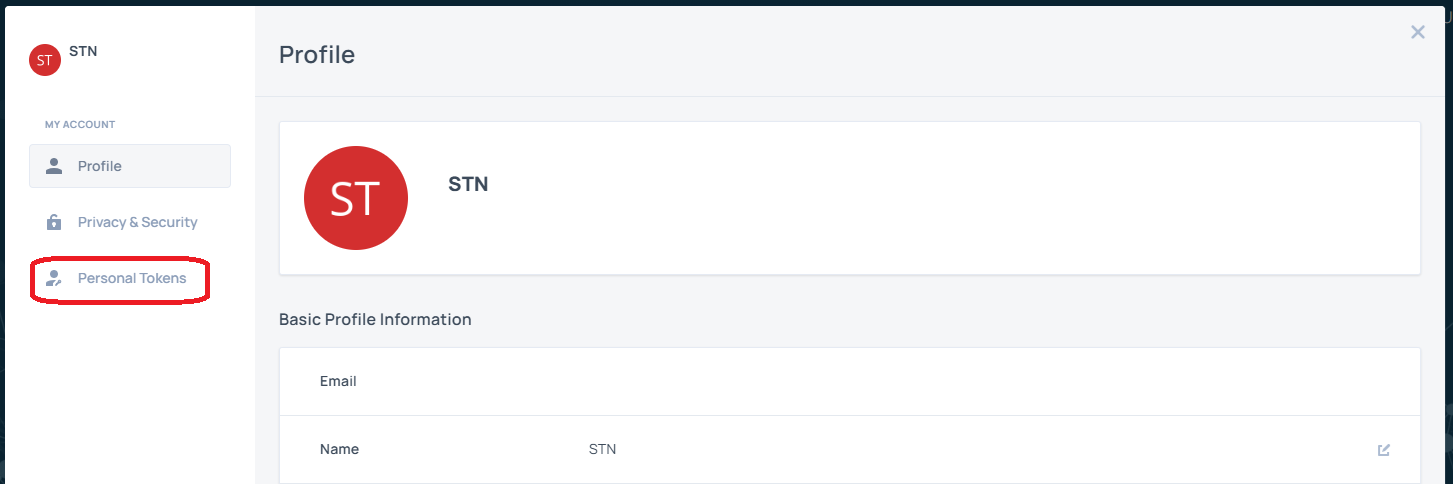
A pop-up dialog would be shown with your profile information. Switch to the “Personal Tokens” tab:
-
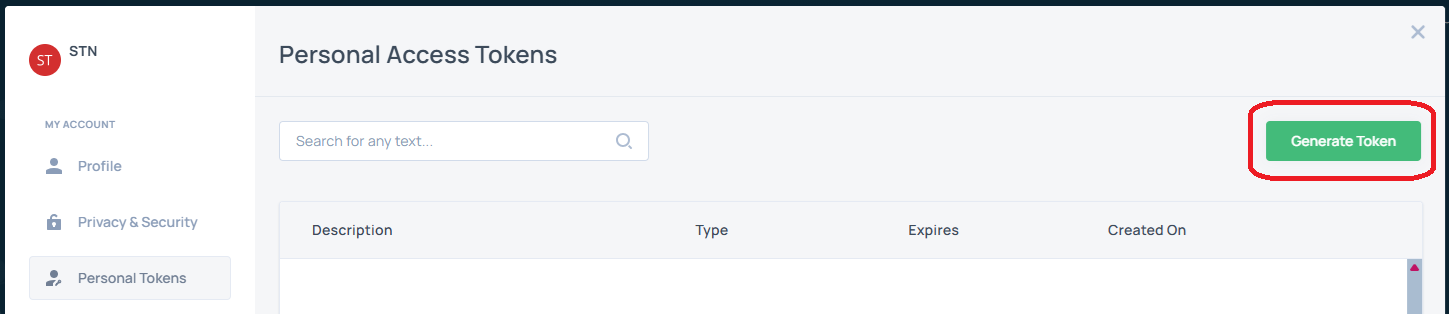
Click “Generate Token” button:
-
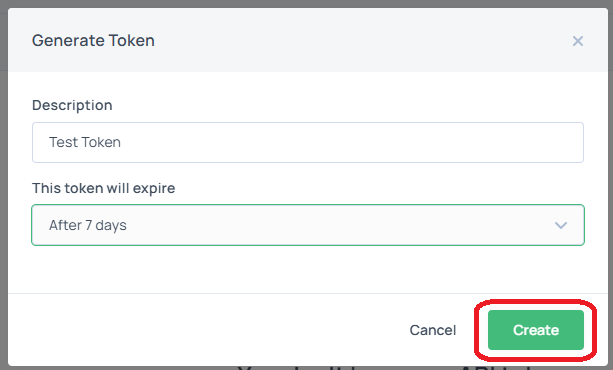
Enter a description and select the token expiry accordingly, then click “Create” button:
-
Copy the Client ID and Secret Key to a safe location.
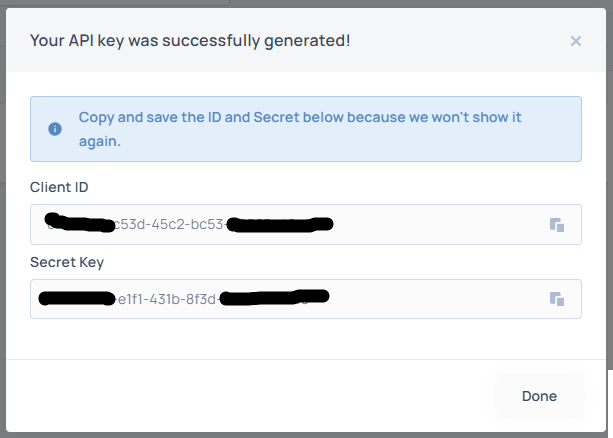
Access (bearer) token is configured to expire after 24 hours. Please exchange a new access token with your Client ID and Secret Key when it is near to the expiry.
Part 2
-
For Python API package:
-
Use the Client ID and Secret Key directly.
-
-
For REST API:
-
Use the Client ID and Secret Key to exchange for an access (bearer) token with your preferred coding language.
-
Use the access token in API endpoints.
-
Sample Code in Python
import httpx

AUTH_API_URL = "https://sso.sipametrics.com"

def exchange_access_token(client_id: str, secret_key: str) -> dict:
    """
    Exchange a client_id + secret for a JWT access token
    using the OAuth 2.0 client_credentials grant.
    """
    url = f"{AUTH_API_URL}/oauth/token"

    payload = {
        "client_id": client_id,
        "client_secret": secret,
        "grant_type": "client_credentials",
    }

    response = httpx.post(url, json=payload)
    response.raise_for_status()

    return response.json()

def main():
    CLIENT_ID = "<your_client_id>"
    SECRET_KEY = "<your_secret_key>"
    token_data = exchange_access_token(client_id=CLIENT_ID, secret_key=SECRET_KEY)
    print(token_data)

if (__name__ == "__main__"):
    main()
Sample Response
{
  "token_type": "Bearer",
  "access_token": "ey...4A",
  "id_token": "ey..4A",
  "refresh_token": "<random_guid>",
  "expires_in": 86400
}
With REST API client, please ensure the Authorization header comes with the Bearer prefix, e.g.:
Authorization: Bearer ey…4A